How to get your Businessmap domain and API key?
You need an active Businessmap account to get the logins. If you don't have one yet, you can request a free trial from our Demo Center:
- Visit businessmap.io/demo-center.
- Click Request Free Trial.
- Complete the short form; a member of our team will get in touch to set up your trial account.
Once your account is active, follow the steps below to retrieve your Businessmap URL and API key.
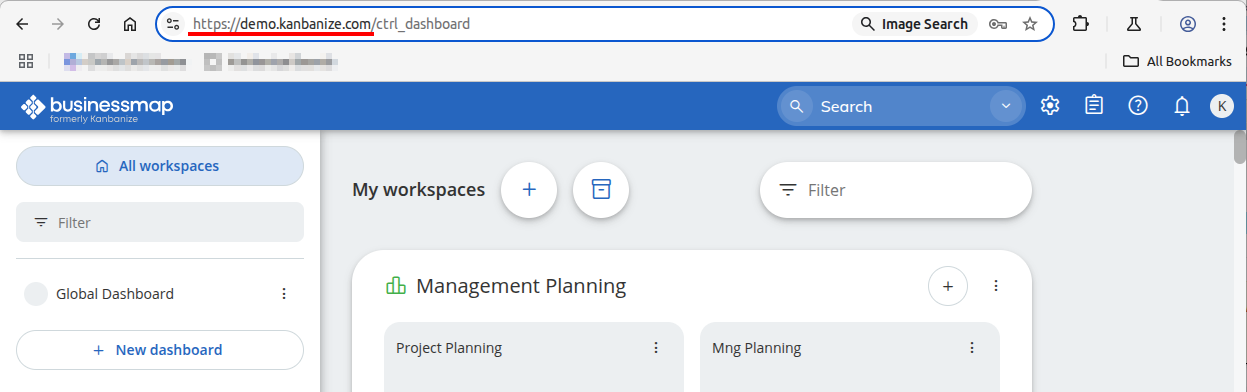
Each Businessmap account has a unique URL, e.g. https://subdomain.businessmap.io or https://subdomain.kanbanize.com which is the URL you look for. Please enter your URL in the corresponding field.
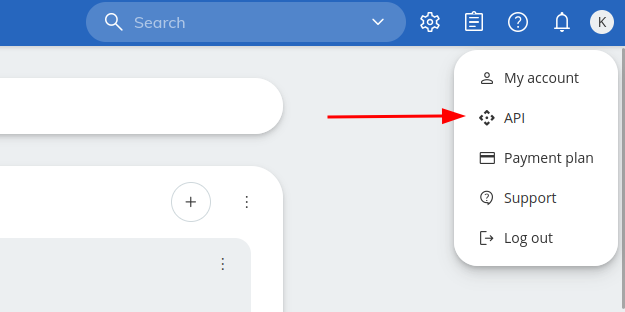
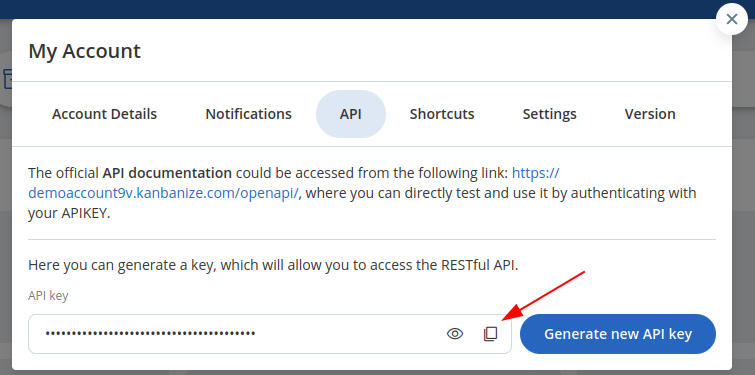
To get your API key, go to your account, click on the user dropdown menu from the top right corner and select API. Copy the key that appears there and place it in the dedicated box.