
ADO to Businessmap
Important Notice
Starting 1 March 2026, premium solutions will be locked for accounts without an active Support Package. This change is necessary due to the solutions complexity, service quality, timely fixes, and reliable delivery.
Please purchase a Support Package from the Payment Panel to avoid interruptions.
Starting 1 March 2026, premium solutions will be locked for accounts without an active Support Package. This change is necessary due to the solutions complexity, service quality, timely fixes, and reliable delivery.
Please purchase a Support Package from the Payment Panel to avoid interruptions.
Description
This service can be used to connect Microsoft Azure DevOps work items to Businessmap.It supports four scenarios: Work item created, Work item updated, Work item deleted and Work item restored.
The way it works is as follows.
- You have to connect ADO to Businessmap using the Service Hooks (webhooks) available in Azure DevOps
- When this service receives request from one of ADO service hooks, it will process the information and create, update, discard or restore card in Businessmap
- If some error happens you will be notified of it at the email provided in the "erroremail" header
The information that will be processed is this: title, type (work item type is matched to card type), custom ID (will be set to the ID of the work item in ADO), external link (will be set to direct URL for the ADO item), description, priority (matched as number), blocked status, state (matched to board column), board lane, assigned user, tags, comments, links.
Assigned user will only be set in Businessmap if user with the same email already exists in Businessmap, is assigned to the board and is not disabled.
Requirements
1. All work items states in Azure DevOps must match exactly the column names is Businessmap2. You must create card types with the exact same name in Businessmap as work items in ADO (for example you have these work items in ADO: Epic, Issue, Task. You should have card types which are called the same in Businessmap too)
3. You need to have field with this exact name "External Link" in Businessmap and it must be assigned to the boards you transfer the data to
Service availability
You are allowed to send up to 500 requests per hour per account.Steps to configure
1. Login to Azure DevOps and set up webhook for your project. This is done from Project Settings

2.1 One for "Work Item created"
2.2 One for "Work Item updated"
2.3 One for "Work Item deleted"
2.4 One for "Work Item restored"
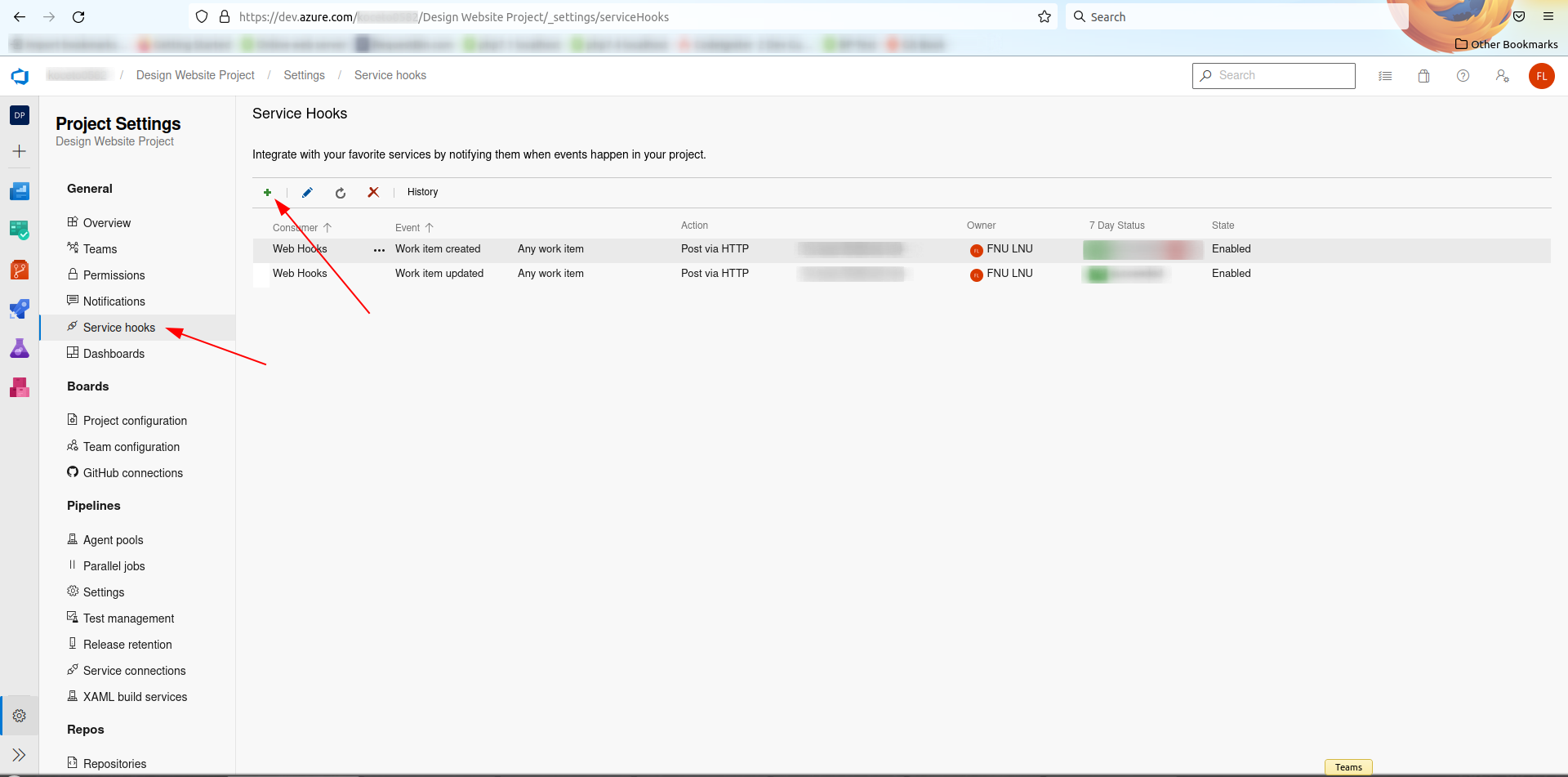
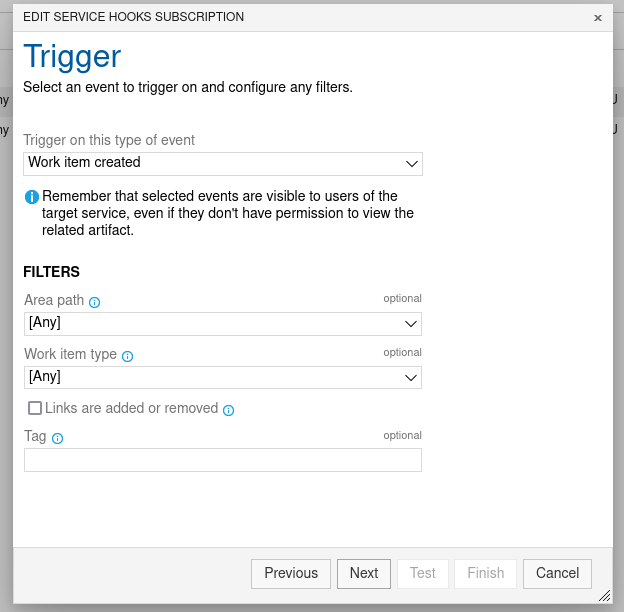
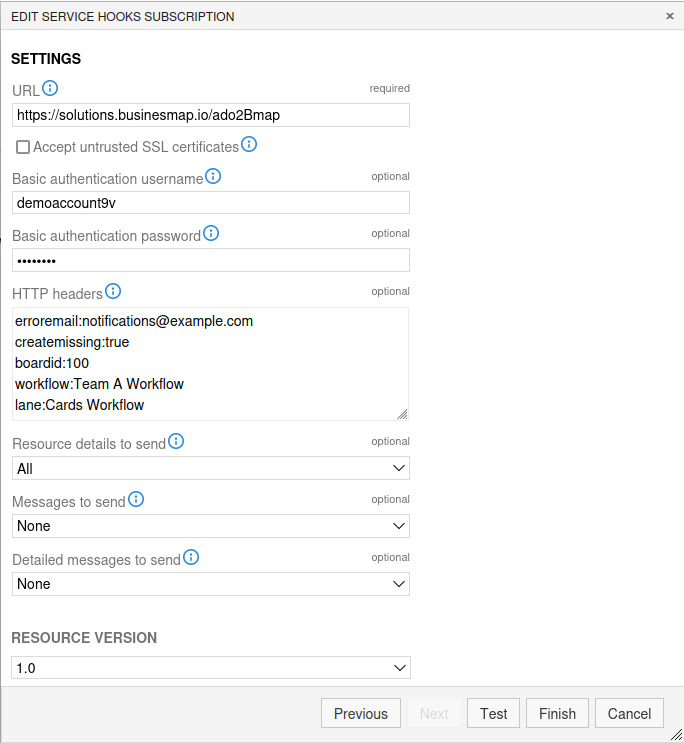
| Field | Value | Description |
|---|---|---|
| URL* | https://solutions.businessmap.io/ado2Bmap | Must be set exactly like that |
| Basic authenthication username* | xxxxxxx | Your Businessmap subdomain name |
| Basic authentication password* | xxxxxxx | Your Businessmap API key |
| erroremail* | notifications@example.com | Email where messages will be sent |
| createmissing | true/false | Create a card if missing on board (optional) |
| boardId* | 100 | Board ID where cards will be managed |
| workflow | Team A Workflow | Workflow name (optional) |
| lane | Cards Workflow | Lane name (optional) |
| Resource details to send* | All | Must be set exactly like that |
| Messages to send* | None | Must be set exactly like that |
| Detailed messages to send* | None | Must be set exactly like that |